
BreezySuccess
BreezySuccess helps your team track, measure, and improve customer outcomes directly in Salesforce—without the complexity of enterprise CS platforms.
How teams use it
On Account record pages
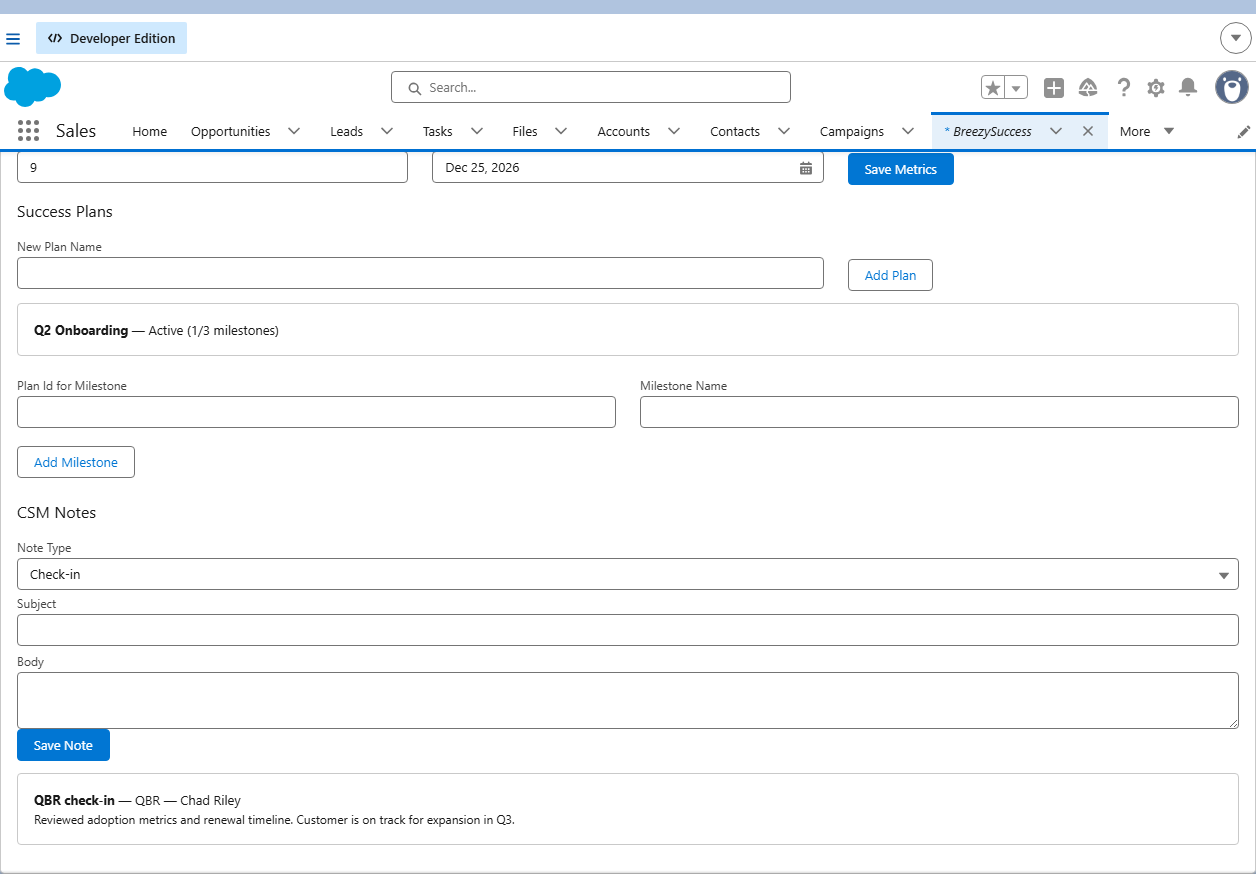
Add the BreezySuccess Account Hub to Account layouts (the package includes a BreezySuccess Account record page). When a CSM opens an Account, health score, NPS, renewal date, success plans, milestones, and CSM notes load automatically for that account—no search step.
From the BreezySuccess app home
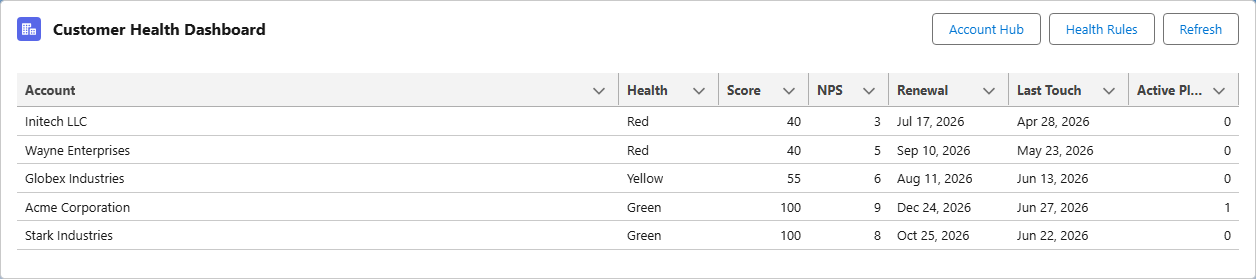
The Customer Health Dashboard lists accounts with any BreezySuccess data: a health score, NPS, renewal date, or an active success plan. Accounts sort by health score so at-risk customers appear first.
Open Account Hub from a row action on any dashboard account, or click the header Account Hub button to search for any account.
What it does
- ✓Account health scores (Green / Yellow / Red) on standard Account records
- ✓Configurable health rules for NPS, renewal proximity, and last touch
- ✓Success plans with milestones and onboarding checklists
- ✓CSM notes (check-ins, calls, QBRs) with automatic last-touch tracking
- ✓Customer health dashboard for managers and CSMs
See it in action
Screenshots from the BreezySuccess Lightning app in Salesforce.

Product documentation
Download a concise overview of BreezySuccess to share with admins, ops, and stakeholders.
Install
Deploy from the BreezyGTM repo and assign BreezySuccess Admin to admins who configure health rules and plans. Assign BreezySuccess User to CSMs and BreezySuccess Manager to team leads—your admin controls who gets which role. Assign the BreezySuccess Account record page (or add Account Hub to Account layouts) and open the BreezySuccess Lightning app.
Companies can install BreezySuccess for a free 30-day trial. We also offer consulting on setup and customization.
Start your BreezySuccess trial
Email us to install BreezySuccess in your Salesforce org or to discuss setup and customization consulting.
Contact sales@breezygtm.com